

 127
127
Introduction
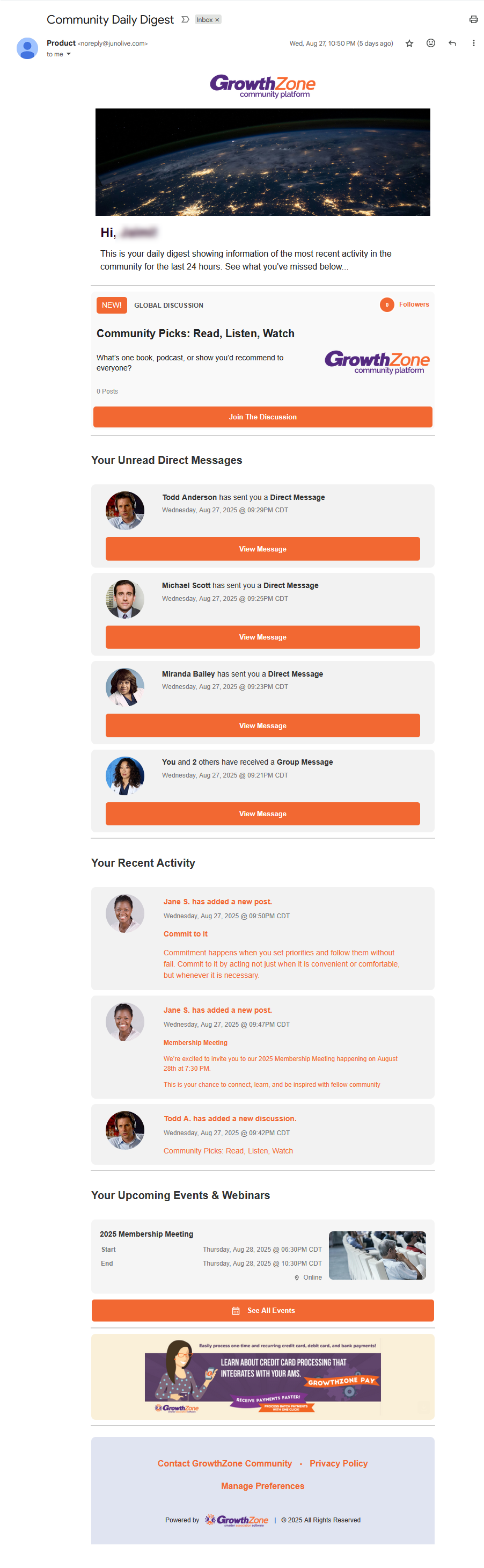
Direct Message Notification introduces real-time notifications (email and/or in-app) for direct messages within the Community Platform to improve user responsiveness, increase engagement, and enhance retention. This feature is also included in the Daily Digest. Please see the Daily Digest Email Notification article for more information.
Table of Contents
- Notification Preferences
- In-app Notifications
- Real-time Email Notification for New Conversations
- Daily Digest Unread Messages
- Related Articles
Notification Preferences
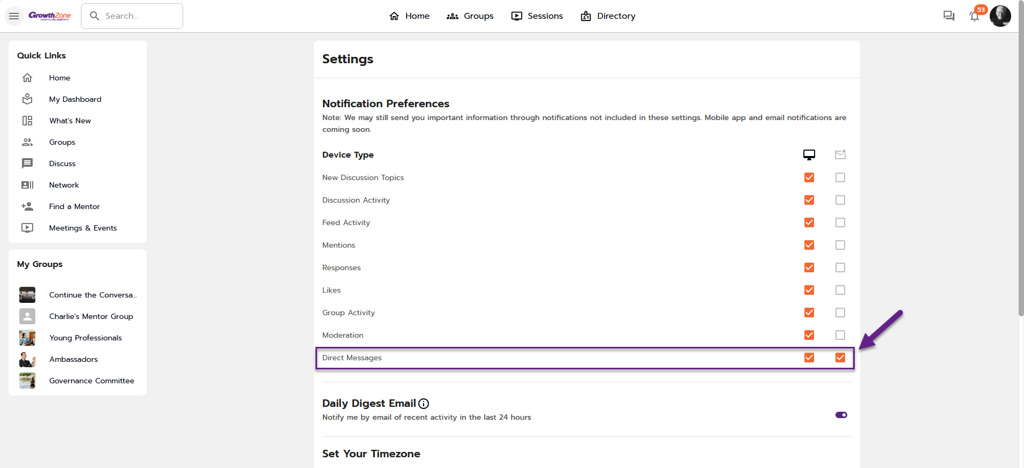
A notification preference setting is available for Community users to opt in/out of direct message notifications, including in-app toast notifications and real-time email notifications.
 These settings are enabled by default for all users.
Go to Settings > Notification Preferences > Direct Messages.
In-app Notifications
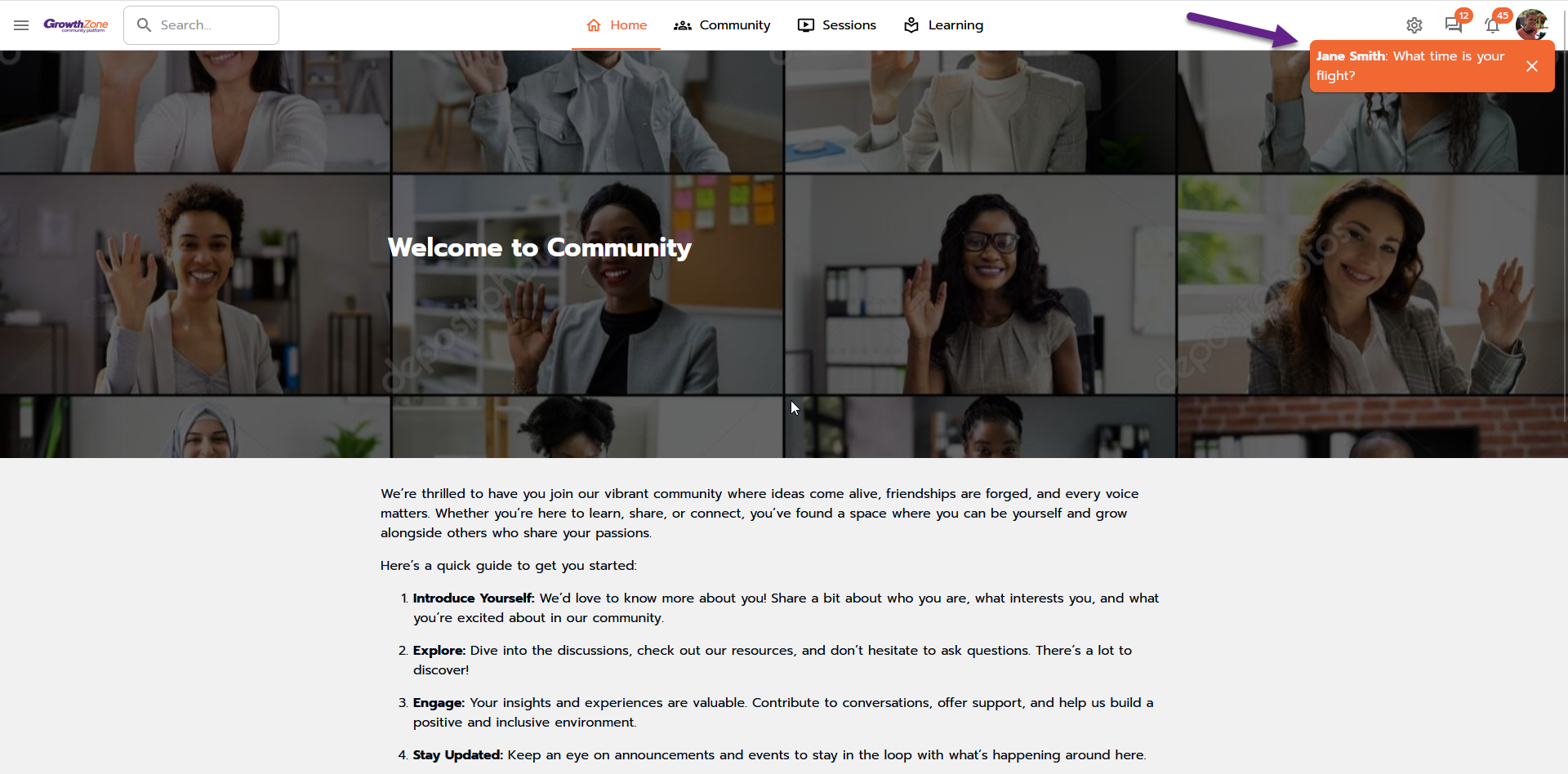
A toast notification will display for each direct message received while the user is detected as being active on the platform, and as long as the user has the in-app notifications turned on.
In-app notifications will show the first few words of the message.
Real-time email notification for New Conversations
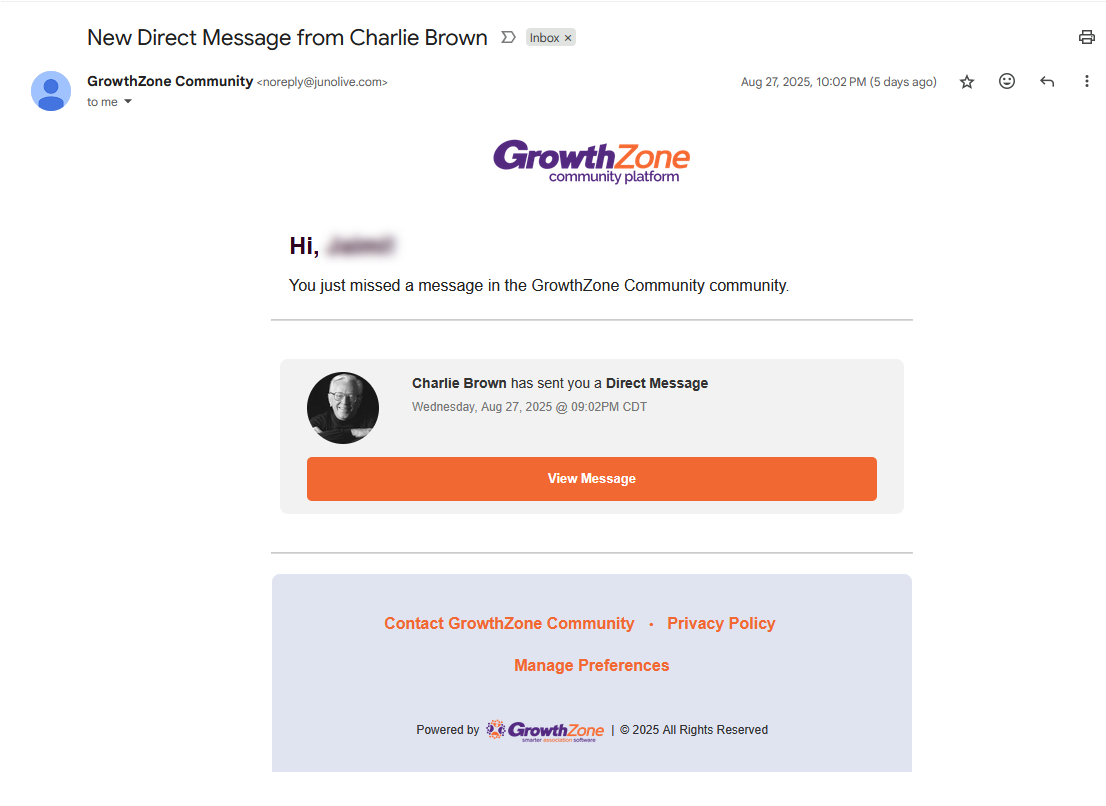
Community members can receive real-time email notifications when someone initiates a new conversation via direct message. For security and privacy, the message details are not included in the email. Users will need to go into the Community Platform to view the message(s).
 Note: real-time email notifications for subsequent messages within a conversation are not available at this time.
Daily Digest Unread Messages
A section within the Daily Digest called Your Unread Direct Messages (positioned between the new discussions and “Your Recent Activity") will display up to 4 unread messages within the previous 24 hours from when the daily digest is sent. For security and privacy, the details of the message are not included within the email. Users will need to go into the Community Platform to view the message(s).